Best Train Apps for iPhone (2026 Guide)
iPhone users have access to some excellent UK train apps. Here is what to use depending on how you travel.
Why iPhone Users Have More Options
iOS widgets have matured significantly since Apple redesigned the home screen system. For train travellers, this means you can now put a live departure board directly on your home screen - no app opening required. Not all train apps take full advantage of this, but the best ones do.
Best iPhone Train Apps in 2026
 1. Railtime - Best for Home Screen Widgets
Railtime is designed from the ground up for iPhone. It offers the most extensive widget library of any UK train app - small, medium, and large sizes with multiple themes including a retro LED matrix style and a clean modern design. You can set a default station and your next trains appear on your home screen automatically.
The app is 6 MB, loads instantly, and has no ads. For iPhone users who commute regularly, it is the most efficient way to check train times. You can often get what you need without ever opening the app.
 2. TrainPal - Best for Tickets (No Booking Fees)
TrainPal is one of the best apps for buying UK train tickets on iPhone. It offers split ticketing and often charges no booking fee at all, making it the lowest-cost way to buy tickets for most journeys. Note that TrainPal is a ticketing app first - there are no home screen widgets, and finding live times requires navigating through booking flows.
 3. TrainSplit - Best for Finding Split Ticket Savings
TrainSplit specialises in finding the widest range of split ticket combinations. It charges a percentage of the saving it finds, so you only pay when it saves you money. On longer routes it often beats TrainPal - it is worth checking both. Like TrainPal, it does not offer home screen widgets.
 4. National Rail - Official Timetables
The official National Rail app provides timetables and live departure boards. It is clunky and web-based in feel - it takes several taps to reach a departure board and displays ads throughout. For occasional reference use it is functional, but it lacks the speed of a dedicated native app.
 5. Railboard - Live Times and Tickets Combined
Railboard offers live train times alongside the ability to buy tickets in one app. It has a cleaner interface than the National Rail app and booking fees apply on ticket purchases. Home screen widgets are not currently supported.
 6. Trainline - Popular but Expensive
Trainline is the most downloaded UK train app on iPhone, but it is not the best choice. It charges high booking fees, its split ticket range is narrower than TrainSplit or TrainPal, and the app is over 300 MB. It offers a widget, but only a basic one showing a single upcoming train - not a full departure board. For most journeys you will get a better deal elsewhere.
Making the Most of iPhone Widgets for Train Times
The best use of your iPhone home screen is to put your most-used departure board front and centre. With Railtime, you can add a widget for your morning commute station and another for your evening return. The app updates these automatically with live data.
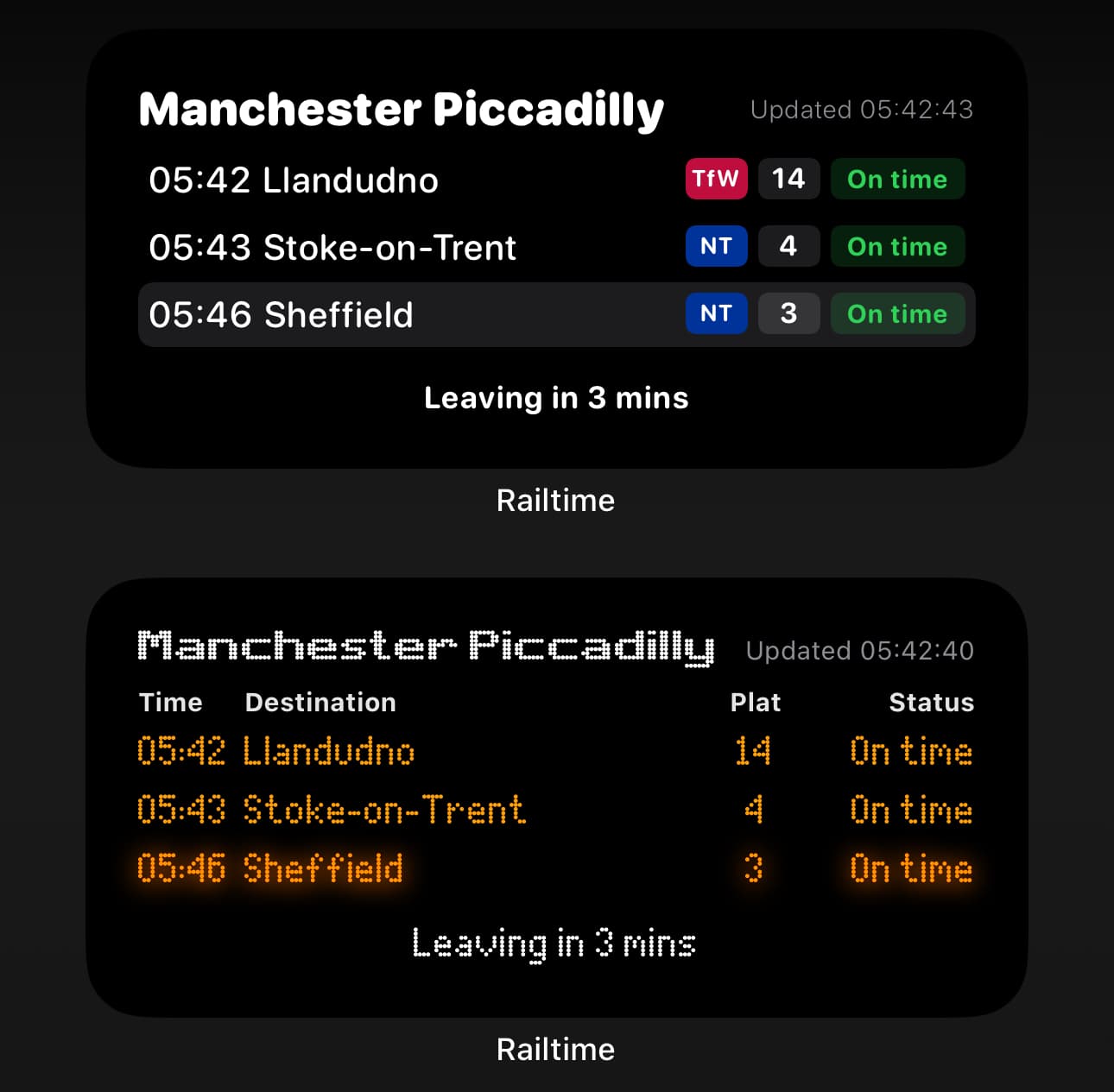
For a full walkthrough, see our guide on how to add a train times widget to your iPhone.
Recommended Setup for iPhone Users
The most efficient setup for most iPhone commuters is:
- Railtime on your home screen for live times and widgets
- TrainSplit or TrainPal for buying tickets when needed
Together these apps cover everything a UK train traveller needs on iPhone.
See also: Best iPhone Widgets for Train Times | Best Train Apps for UK Commuters